Run VirtualBox and click File > Import Appliance from the Application menu. Choose the Kid Pix Studio Deluxe (1998).ova file you downloaded and click Import.
Once the VM has finished importing you can click the greenStart arrow in VirtualBox to run it. Keep pressing return or enter on your keyboard, skipping messages about missing files.
You'll find yourself on a Windows 95 Desktop with Kid Pix Studio installed. Double click it and have fun!
You can change the screen resolution in Windows 95 to increase the size of the VirtualBox window and get a bigger drawing surface in Kid Pix.
Mario Paint (1992) [Mac OS X]
Download this zip file and follow the instructions in the README.
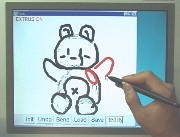
Teddy (1999) [Mac OS X]
Download this zip file and follow the instructions in the README.